
SYSTEME.IO SALES PAGE TEMPLATE
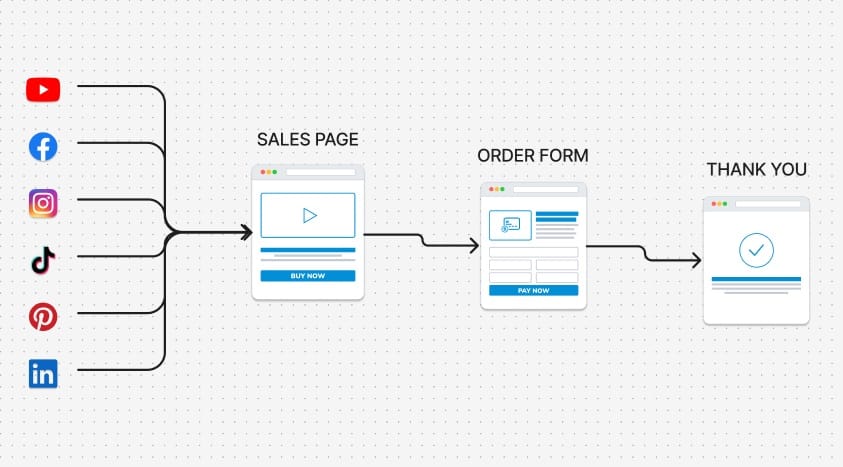
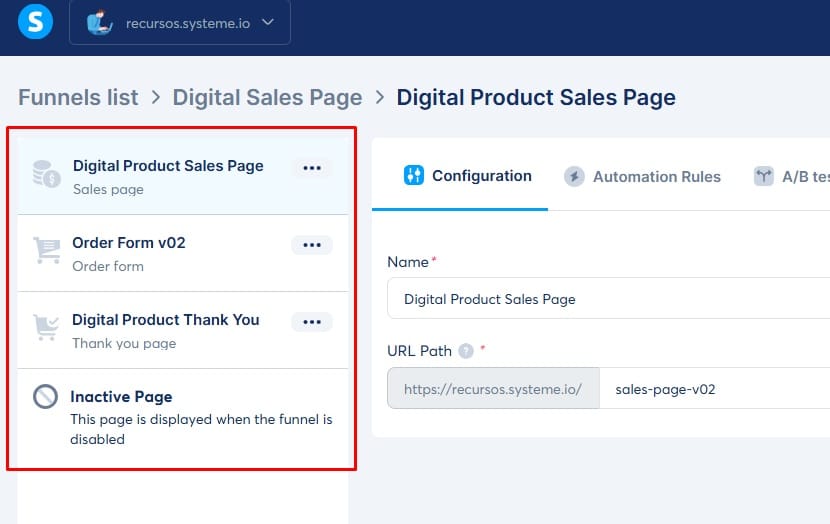
The structure of a sales page consists of the following: the Sales Page itself, which contains one or more buttons that redirect to the Order Form; the Order Form, where the user pays for the product (physical or digital); and finally, the Thank You Page, which displays access instructions and a brief product summary.
>>> Related Posts: Create Lead Generation Funnel
How to Create a Sales Page Template in Systeme.io
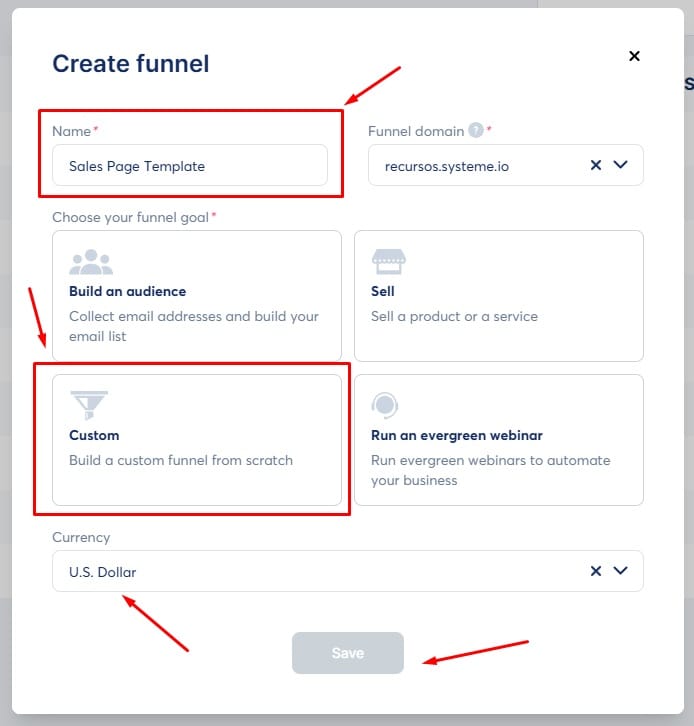
To create a basic sales page structure in Systeme.io, you need to build a new funnel. You can access it here: Create New Funnel.
Click the "Create" button (top right corner).
Give your new funnel a name.
Choose the "Custom" configuration.
Select your currency and click "Save."
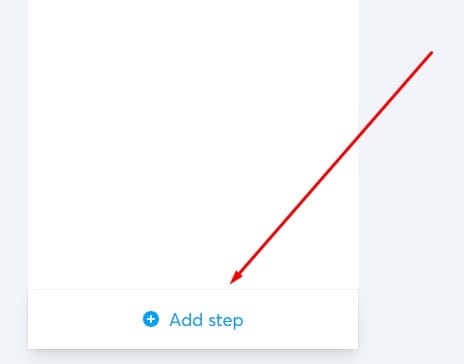
From the bottom-left menu, you can add the necessary steps to build any type of funnel, sales page, landing page, and more.
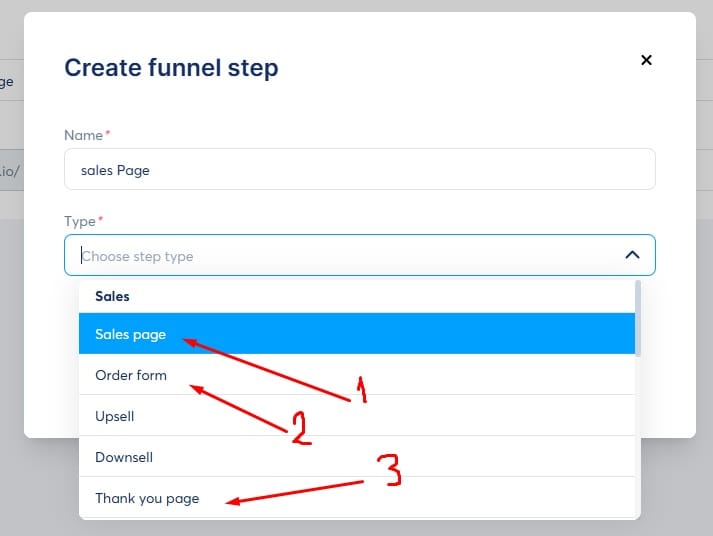
For this specific structure, you will need the following stages:
Sales Page
Order Form
Thank You Page
> Note: You must select these options from the "Sales" category in the step type list.
Once these steps are added, your Systeme.io sales page structure is ready.
Customizing Your Funnel
You can name each stage whatever you like and use any of the built-in templates within Systeme.io. However, you will need to edit each page, which can be a bit challenging if you are a beginner.
Because of this, I recommend taking the Free Certification Course and Funnel Builder Certification offered by Systemeio.
Alternatively, you can simply download one of our pre-made templates to save time.


funnely.systeme.io | Copyright 2026 | Privacy Policy | Affiliate Disclosure
CONTACT US
We HATE spam. Your email address is 100% secure