
Lead Generation Funnel with Systeme.io
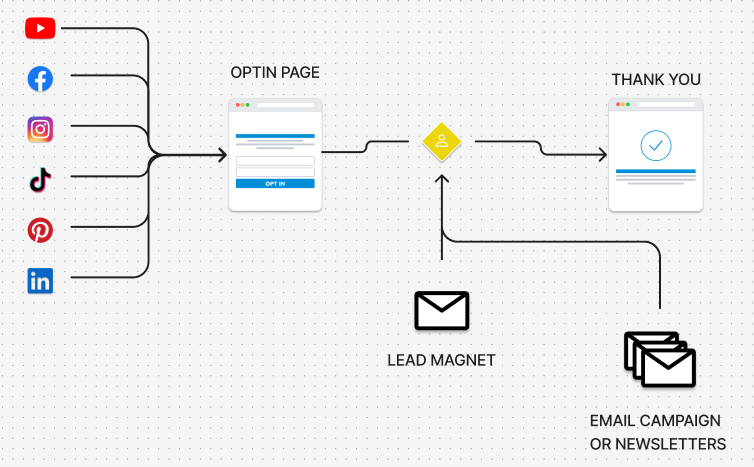
A Lead Generation Funnel is a sequence of web pages designed to avoid scaring people off by trying to sell them something the moment you meet. The main goal is to build trust, engage, and provide value before introducing a product or service that might interest them.
>>> Related Posts: How to create a Sales page template
How to Create a Lead Generation Funnel
First, let's look at the theory behind a lead gen funnel. To keep things simple, let's use an analogy.
Imagine you are throwing a party. At first, you mention it to everyone (the widest part of the funnel). Then, only a few people ask for specific details (the middle). Finally, only your true friends actually confirm they are coming (the narrowest part).
In business, this process serves to filter out casual browsers from actual buyers. It is divided into three simple steps:
1. Attraction: "Hey, I’m over here!"
This is the top, widest section. The goal here isn't to sell yet, but to make connections. Companies create TikToks, blog posts, or Instagram content to grab attention.
Example: You see a video titled "How to Learn Guitar in 5 Minutes." You’re interested, so you click.
2. Interaction: The Exchange
This is where a visitor becomes a "lead" (a contact). The business says, "If you want the complete chord guide, give me your email and I’ll send it to you for free." You trade your email for that gift. Now they know who you are and can talk to you directly. You are no longer a stranger.
3. Decision: The Moment of Truth
This is the final, narrowest part of the funnel. The company has already provided free value, and you trust them. Then, they send a message: "Did you like the guide? I have a full course available at 50% off." Since they have already helped you, you are much more likely to say yes.
Build a Lead Generation Funnel with Systeme.io
You can use any platform, but we will use Systeme.io for this example because it includes all the necessary tools and offers a free plan.
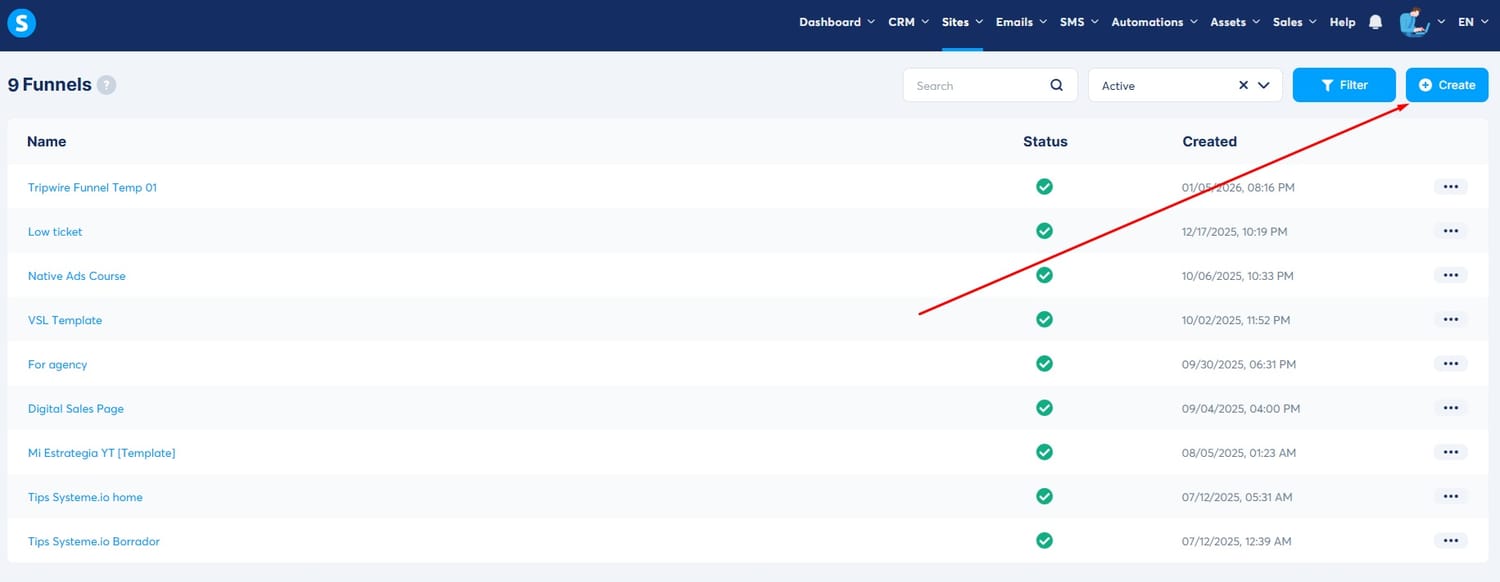
The first step is to create a new funnel. Go to the Funnels from here:
>>> Create New Funnel
Click the Create button.
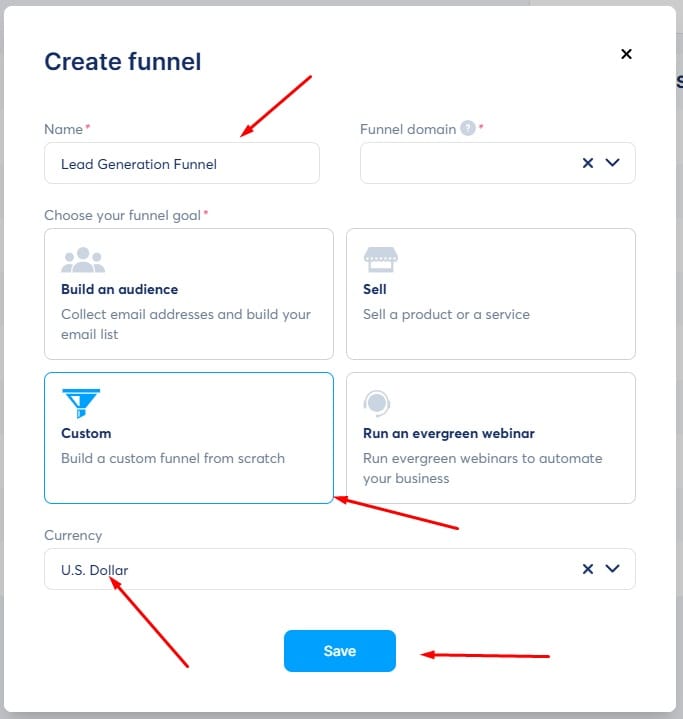
Enter a name for your funnel.
Select the Custom option.
Choose your region's currency and click Save.
Now we need to add the stages.
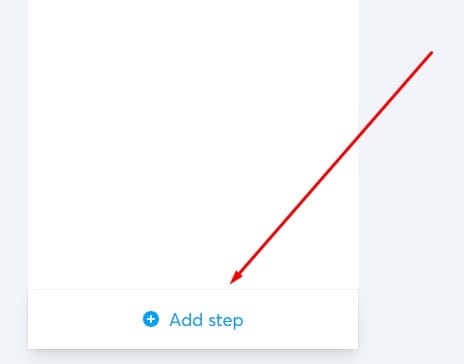
Click the "Add Step" button in the bottom left corner.
A dropdown list will appear showing all the page types you can create. For now, select Opt-in page and Opt-in thank you page from the "Opt-in" section.
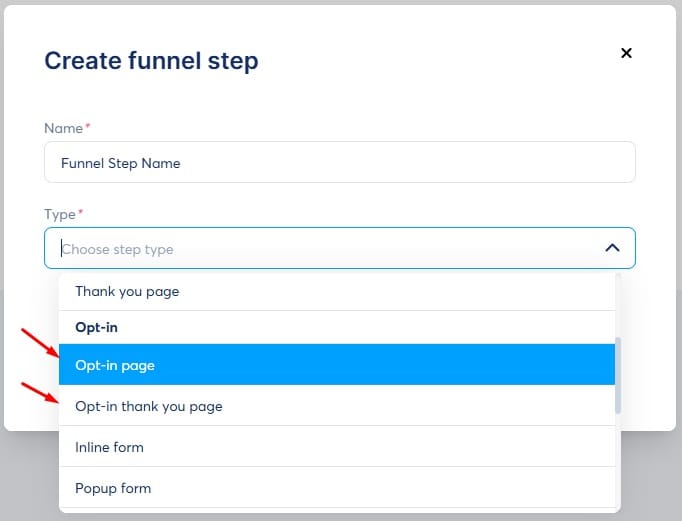
> Note: You can choose "Start from scratch" or select a pre-made design via "Choose template." If you are new to Systeme.io, I highly recommend using a template.
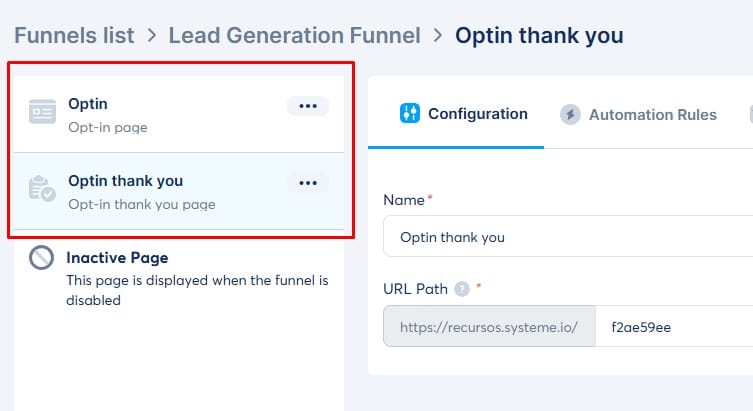
You should now see these pages listed in your site builder.
Customize your Lead Generation Funnel
If you are just starting out, I recommend taking the Systeme.io Free Certification Course and the Funnel Builder Certification.
Customize your pages with simple designs. Remember, the priority is to test your idea—that is exactly what these funnel-building platforms are designed for.
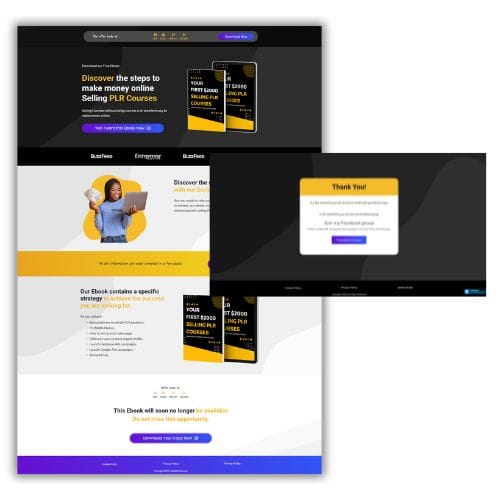
You can also download some of our free templates so you don't have to build your sales funnels from scratch.


funnely.systeme.io | Copyright 2026 | Privacy Policy | Affiliate Disclosure
CONTACT US
We HATE spam. Your email address is 100% secure